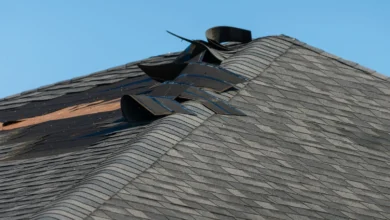
Running a roofing business today means managing an intricate set of moving parts. Weather delays force last-minute schedule changes, material shortages create project bottlenecks, and homeowners demand constant updates on their investment. Meanwhile, crews work across multiple job sites, often in challenging conditions where traditional office processes simply don’t translate.
The most successful roofing contractors have discovered that field service management software is the operational backbone that separates thriving businesses from those struggling to keep up. This comprehensive guide examines how modern roofing field service software addresses industry-specific challenges and provides an honest comparison of leading platforms.
Why Traditional Roofing Operations Fall Short
Before diving into software solutions, it’s worth understanding why traditional roofing operations create so many headaches. Most roofing businesses still rely on a patchwork of spreadsheets, phone calls, and paper forms. This system work when operations are smaller but breaks down as businesses grow.
Consider a typical Tuesday morning scenario. A sudden storm damages dozens of roofs in your service area. Your phone starts ringing at 6 AM with emergency calls. Meanwhile, your scheduled crew is stuck in traffic, your material supplier is running late, and three different homeowners are calling to ask when their roofer will arrive. Without proper systems, this becomes a day of crisis management rather than productive work.
Field service software transforms these mornings into manageable workflows by centralizing communication, automating updates, and providing real-time visibility across all operations.
Core Benefits of Roofing Field Service Software
Clear scheduling
Visual calendars and drag-and-drop dispatch boards prevent overlaps and under/over-booking.
Simplified paperwork
Estimates, work orders, and invoices flow from quote → job → invoice, cutting manual entry and billing delays.
Inventory control
Track shingles, flashing, tools and flag low stock to avoid downtime.
Customer transparency
Automated SMS/email alerts, live ETA / “on my way” tracking, and portals reduce calls and boost positive customer experience.
Mobile access
Crews use phones/tablets to check schedules, complete forms, capture photos, and collect signatures on site.
Key Features to Look For in Roofing Field Service Software
When evaluating options, look for these core features common to roofing-specific software:
- Drag-and-Drop Scheduling
A simple calendar where you can click and drag jobs to assign or move crews is a must. The best platforms offer a live dispatch board with color-coded slots and maps. For example, Arrivy’s dispatch console boasts an “assignment board” where managers can easily “drag and drop jobs to available technicians” and see each tech’s status color-coded on the map. This makes rescheduling or responding to last-minute changes fast and clear.
- Route Planning & GPS Tracking
Roofing jobs often involve driving to multiple sites. Look for integrated route optimization so crews take the fastest path through traffic. Arrivy’s system uses AI-powered planning that automatically generates the fastest and most logical routes for all crews, significantly reducing drive time. GPS tracking then shows the actual crew locations. If a tech is stuck in traffic, dispatchers see the delay and can reassign tasks instantly. In short, built-in routing and live maps help cut fuel costs and improve on-time arrivals.
- Digital Estimates, Invoices & Payments
Features for professional quoting and billing are crucial. A good app should let you build detailed roof estimates from templates (often with aerial measurements), send them electronically, and convert them to invoices after the work is done. For example, Jobber highlights that roofers can “send a professional bill in seconds” by text or email as soon as the job is done, complete with branding and custom messages.
Look also for online payment integration (e.g. credit card or ACH) so customers can pay instantly. Automated invoice follow-ups help keep cash flowing without manual chasing.
- Photo/Video Capture for Job Documentation
Roofing companies rely on photos (for damage reports, before/after shots, warranty proof). Ensure the software has an easy way for crews to snap and upload photos or videos to each job record. Many platforms also let you annotate or tag photos. Arrivy’s forms, for example, include photo uploads and signature capture right on the mobile app. Capturing visual proof on site, such as signed “proof of service” forms or completed checklists, can protect against disputes and provide quality records for customers and insurers.
- Crew Communication & Mobile Access
Field apps should support messaging between office and crews, as well as among crew members. Built-in chat or push notifications mean you don’t have to rely on clumsy phone calls. In Arrivy, dispatchers and techs have “built-in messaging” so they can “communicate job-specific instructions or customer notes in real time”.
- Integration with QuickBooks & CRMs
Finally, check for integrations with accounting and CRM tools you already use. Most contractors use QuickBooks or Xero for accounting, so smooth sync can save hours of double entry. For instance, Arrivy cleanly integrates with QuickBooks, Xero, and Square, so invoices and payments automatically flow between systems. Many software also connect to CRMs like HubSpot or Salesforce. Integration flexibility lets you connect estimates and invoices to your back-office, reducing errors and giving a holistic view of your business.
See also: Unlock Affordable Housing With Low Deposit Home Loans Services
Best Roofing Field Service Software for Contractors (2025 picks)
Below are four popular options for roofing contractors in 2025. We compare them side by side, focusing on features, pricing, and ideal use cases, while noting where one stands out.
- Arrivy – Best for scheduling, customer experience, and crew management in one platform
Arrivy roof project management software positions itself as an all-in-one platform specifically designed for service contractors who prioritize customer experience alongside operational efficiency. The platform excels in three key areas: intelligent scheduling, comprehensive mobile functionality, and exceptional customer communication tools.
Strengths:
Robust drag-and-drop dispatch console with live status and maps; AI-driven route planning; mobile app for check-ins, digital forms, photo uploads and e-signatures; strong customer notifications and self-booking portal; extensive integrations (50+).
Pricing:
Transparent pricing starting around $25/user/month for basic plans, higher tiers available.
Ideal for:
Teams that need tight scheduling control, excellent customer updates, and a single unified system.
- Jobber – Small-business friendly, easy to use
Jobber has built a reputation for ease of use, making it popular among smaller roofing contractors who want essential features without overwhelming complexity. The platform covers core scheduling, invoicing, and customer management needs with minimal setup requirements.
Strengths:
Intuitive interface for estimates, scheduling, invoicing and a customer self-service portal; strong mobile app for crews.
Limitations
Simpler workflows and fewer customization/reporting options; can get costly with add-ons.
Pricing
Core plans often start around $25–$39/user/month (varies by billing cadence); higher tiers and add-ons increase cost.
Ideal for:
Small roofing crews that want a quick, easy setup and standard scheduling/billing tools.
- ServiceTitan – Powerful enterprise tool, but costly and complex
ServiceTitan offers the most comprehensive feature set in the market, with advanced capabilities for CRM, marketing automation, financial management, and business analytics. This platform is designed for established contractors ready to invest significantly in operational excellence.
Strengths:
Comprehensive modules for dispatch, CRM, reporting, sales and marketing; strong for complex job costing and large pipelines.
Limitations:
High cost, custom quotes, and often lengthy implementation/training.
Pricing:
ServiceTitan’s pricing is custom-quoted and tends to be high. Industry sources indicate costs range from around $259 to over $2,500 per month depending on the number of users and features.
Ideal for:
Medium-to-large businesses with complex operations and a budget for enterprise software.
AccuLynx – Roofing-specific, with deep trade features
AccuLynx focuses exclusively on roofing contractors, offering specialized features like aerial measurement integration and roofing-specific material libraries. While this specialization provides unique advantages, it also creates limitations for contractors who handle other types of work.
Strengths:
Built specifically for roofers. Offers CRM, estimating, aerial measurement ordering, materials libraries, supplier integrations (e.g., ABC Supply), and organized photo workflows.
Limitations:
AccuLynx can be rigid. As a roofing specialty tool, its workflows are tuned for standard roofing processes, which means it may not adapt well to very unusual jobs or other trades. Its user interface has drawn some criticism for being less modern, and users have noted occasional glitches in photo upload and scheduling. It also charges by quote and often on the higher side.
Pricing:
AccuLynx does not list rates publicly; users must get a custom quote. Customers report that it tends to be one of the more expensive options with high per-user fees and required add-ons.
Ideal for:
Mid-sized roofing companies that want an industry-tailored solution and are comfortable with a more rigid workflow.
How to Choose the Right Software for Your Roofing Business
Selecting field service software requires honest assessment of your current operations and growth goals. Consider these strategic factors:
Team Size & Complexity
Small crews (1–10 techs) with straightforward jobs often do well on simpler, lower-cost plans (like Jobber’s core plan starting around $29–39/user). Larger teams or those with complex routing needs should consider platforms with advanced dispatch (like Arrivy or ServiceTitan).
Budget & Pricing
Entry-level field-service solutions for roofing often start in the $25–$57 per user per month range. Check whether listed prices are per user, and whether key features (like routing or forms) require higher tiers. Beware of hidden fees (some systems charge extra for add-ons or CRM integrations). If cost is a concern, Arrivy’s base plan (~$25/user) offers robust features, whereas enterprise tools like ServiceTitan can be several times that amount.
Features vs. Flexibility
Decide which features are must-haves. If you need roofing-specific modules (aerial measurement ordering, material libraries, etc.), a niche solution like AccuLynx might appeal. If you prefer flexibility, a general FSM platform (Arrivy, Jobber) may cover your needs while being adaptable to future changes.
Integration Needs
Consider what other software you use (accounting, CRM, ERP). Ensure your chosen solution integrates, so you avoid duplicate work. For example, if you run QuickBooks and a CRM, verify both systems sync with the field app.
Mobile Usability & Connectivity
Check if the mobile app is well-rated. Crew members should find the app intuitive for daily use (checking schedules, updating jobs, taking photos). The easier it is for roofers to use on the go, the better the adoption.
By carefully comparing these factors, you can narrow down the best fit. When in doubt, take advantage of trials or demos. For instance, Arrivy offers a demo so you can see how its unified scheduling/dispatch dashboard, mobile app, and customer portals work together.
Why Arrivy is the Best Roofing Field Service Software
While all the above platforms have their merits, Arrivy stands out for roofing contractors that need an integrated solution combining scheduling, crew management, and excellent customer communication. Key strengths include:
Streamlined scheduling & dispatch
A visual dispatch console gives managers a real-time view of appointments, crews and locations. Drag-and-drop rescheduling, color-coded status, and proximity awareness make it quick to reassign jobs and avoid overlaps.
Crew management & mobile app
Technicians get routes, job details, and customer notes on their phones. They can accept jobs, check in/out, complete digital checklists, upload photos, capture signatures, and message the office. This feature set keeps field teams aligned and paperwork current.
Real-time tracking & customer updates
Offices and customers see live status updates (en route, on site, complete). Automated SMS/email alerts and a customer tracking experience reduce incoming “where are you?” calls and improve client satisfaction.
Paperless forms & proof of work
Custom, drag-and-drop forms let crews record inspections, materials used, and signoffs on site. Time-stamped photos and signed forms are stored with the job as verifiable proof for billing or warranty claims.
Integrations that keep data flowing
Arrivy plugs into accounting, communication, storage, and CRM systems (QuickBooks, Xero, Slack, HubSpot, etc.), so invoices, payments and customer records sync automatically. This cuts double entry and keeps back-office systems up to date.
Final Thoughts
While there are multiple options on the market, choosing the one that fits your exact needs is what really matters. Roofing dispatchers need a clear calendar, crews need reliable mobile access, and customers expect timely updates.
If you want an integrated platform that handles dispatch, crew mobile apps, and customer communications in one place, see how Arrivy’s unified scheduling, job tracking, and customer portal work in a demo.
FAQs
What is the best roofing field service software for contractors?
It depends on your business size and needs. For small to mid-size contractors, Arrivy stands out by combining scheduling, crew management, and customer updates in one platform. Jobber is simple for very small teams, ServiceTitan is powerful but costly, and AccuLynx offers roofing-specific tools.
How does roofing field service software help manage crews?
It centralizes scheduling, dispatch, and job tracking. Managers assign work on a calendar, crews receive updates via mobile apps, and progress is logged in real time with check-ins, photos, and forms. This replaces paper and texts with one streamlined workflow.
Which roofing software integrates with QuickBooks?
Arrivy integrates directly with QuickBooks, Xero, and Square. Jobber and AccuLynx also sync with QuickBooks, while ServiceTitan supports QuickBooks Online. Always confirm whether your edition (Online vs Desktop) is supported.
Do roofers really need field service management software?
Yes. It reduces admin work, prevents double bookings, and improves job costing and customer communication. Even small roofing teams report saving hours per week once they switch from manual scheduling to software.
How much does roofing field service software cost?
Most tools start around $25–$50 per user/month. Arrivy begins at about $25/user/month. Jobber starts near $29–$39, scaling higher for larger teams. ServiceTitan and AccuLynx are quote-based, often costing significantly higher for mid-size companies.
What mobile apps do roofers use in the field?
Arrivy, Jobber, ServiceTitan, and AccuLynx all provide iOS/Android apps. Common features include crew check-in/out, photo uploads, digital forms, and customer signatures. The best app is intuitive, works offline, and supports full job completion without paperwork.